Feature Overview: IP Endpoint Redundancy
Redundancy in IP endpoints is crucial for ensuring uninterrupted communication and network uptime. With the increasing reliance on cloud-based networks, implementing redundancy in IP endpoints is more important than ever. It is essential to carefully design and implement redundancy strategies tailored to the specific needs of the network.
Algo IP Endpoint Redundancy
In emergency situations where lines of communication need to be maintained, many organizations rely on IP endpoints to be functional and reachable to deliver paging, alerting, and notifications to all building occupants when it matters most.
In traditional operations, maintaining communication was achieved by having a backup generator to keep the infrastructure within a building live. Today, organizations rely more heavily on cloud communication servers.
In a cloud-based communication system, for a SIP call to be established, session parameters must first be negotiated between the originating party, the receiving party, and the phone system. The back-and-forth communication, when dealing with hosted systems, goes through the internet.
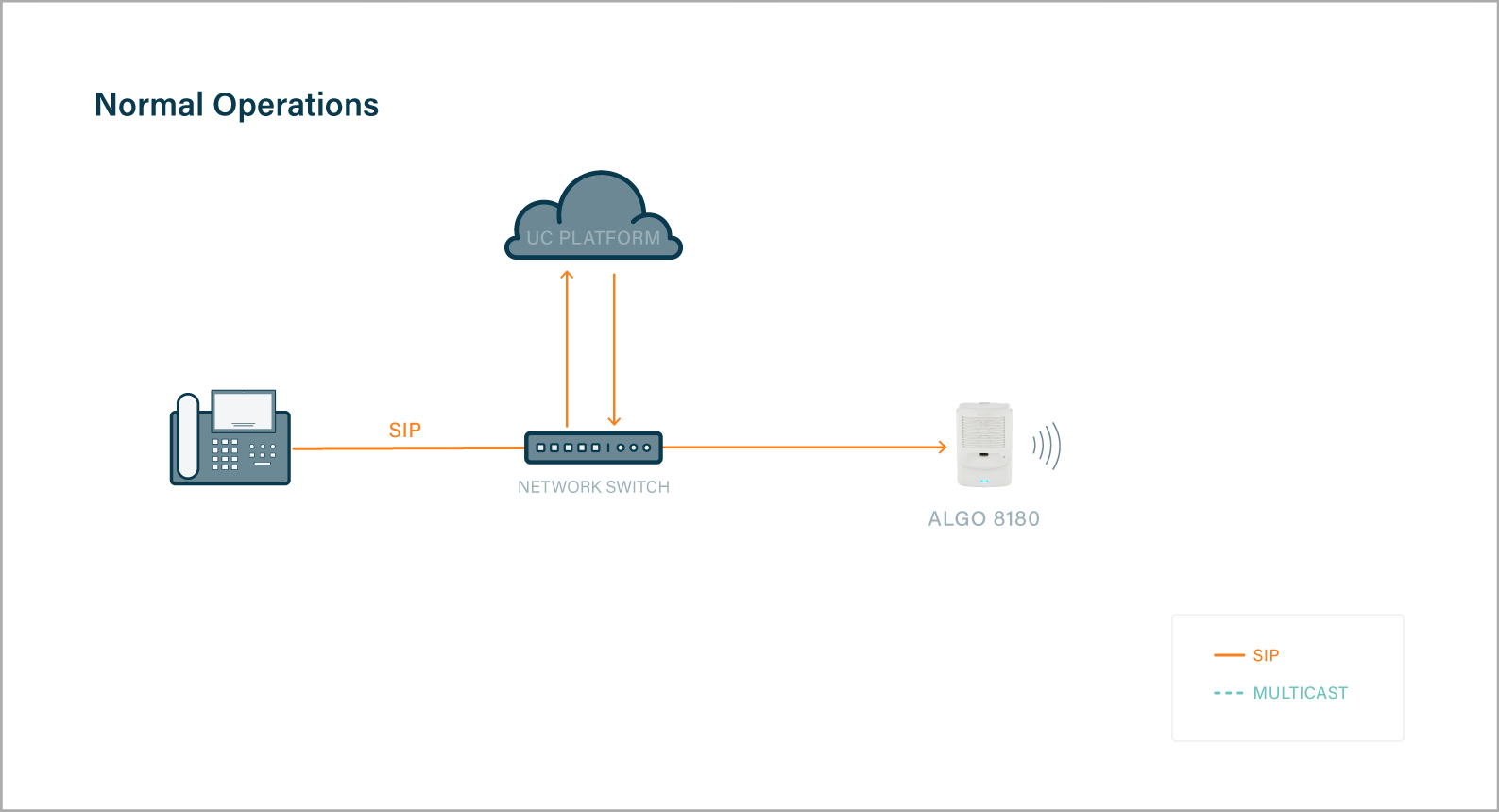
However, with cloud-based networks comes more complexity in establishing redundancy. So while cloud-based communication systems bring ease of use and device monitoring and management, organizations are now in need of solutions to minimize or eliminate the risk of complete outages.
Benefits of Building Redundancy
Redundancy in Algo IP endpoints provides significant benefits, such as:
- Safeguard the communication system by keeping IP endpoints online
- Retain redundancy to the network
- Retain the ability to deliver voice paging or emergency alerts
- Provide reliable operation of IP endpoints
- Ensure maximum reliability and uptime
Managing Risk
Typically, there are two ways to manage the risk of outages:
- Implementing a redundant cloud connection/ITSP as a failover solution. This requires configuring an Algo device to support the redundant failover network.
- Implementing hardware locally on-site that allows local device-to-device communication that is not reliant on the network.
Scenario 1 – Implementing Redundant Cloud Connection/ITSP
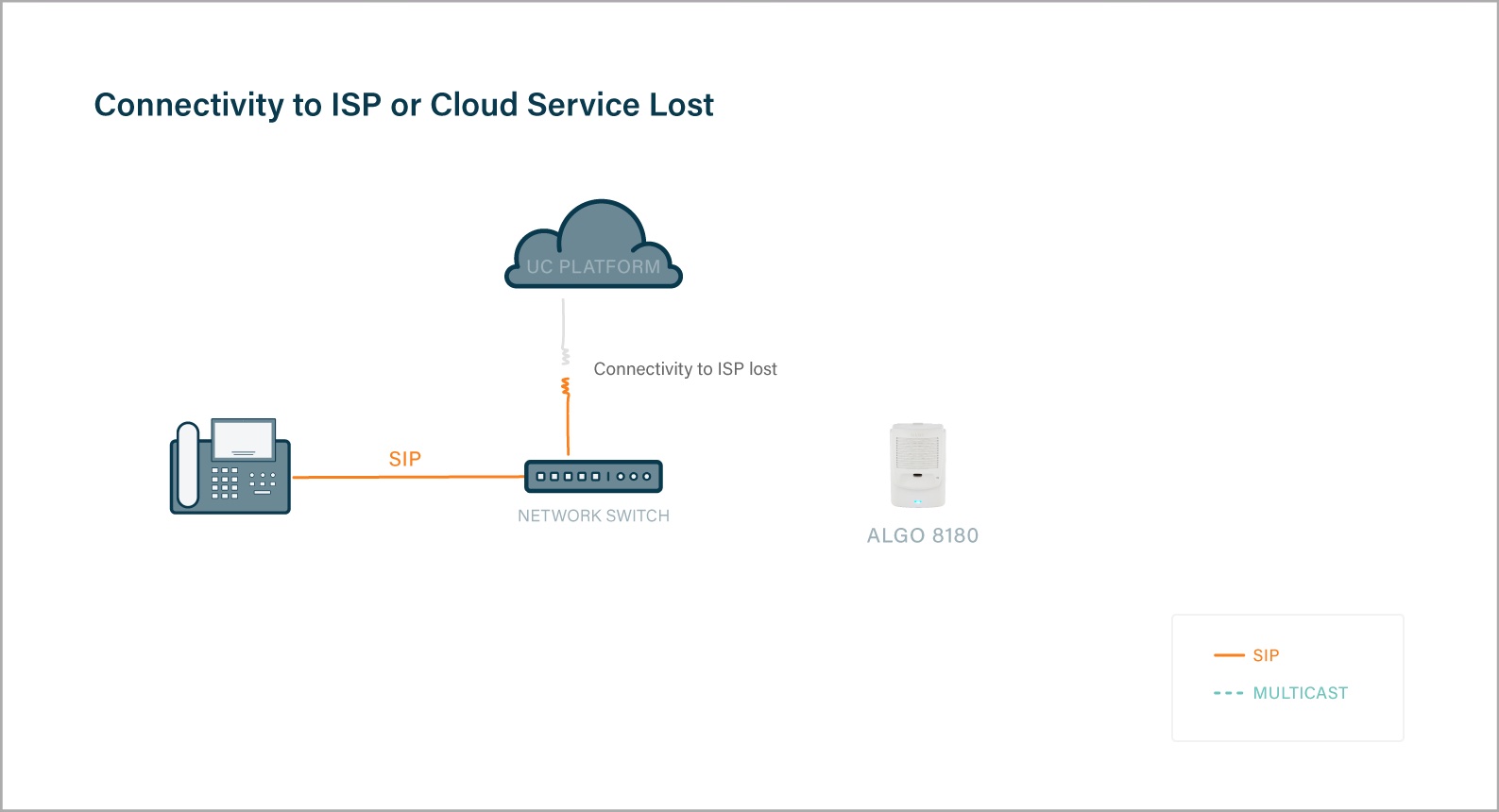
Often, organizations rely on an internet connection to communicate with the hosted server in order to continue the path of delivery to an IP endpoint. However, when that connection is lost, the IP endpoint is unable to communicate with the hosted server to receive calls
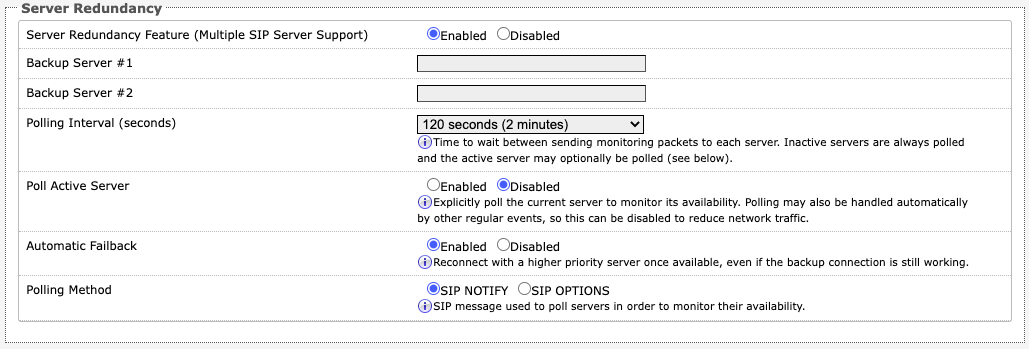
Web UI Redundancy for Premise or Hosted
Redundancy can be easily set up in the Web UI of any Algo device. For premise-based redundancy, configuration instructions are provided in Algo user guides. Up to two (2) additional servers can be configured as a backup.
ISP Backup
In a hosted environment, a backup Internet Service Provider (ISP) can be set up to ensure an Internet connection is available in case the primary fails. Full communication functionality is retained, and voice paging, emergency alerts, and notifications can be delivered as they normally would from anywhere to any IP endpoint.
DNS Failover
There are times when a server, whether hosted or not, is unable to be reached, causing requests to time out.
Domain Name System (DNS) failover applies to hosted systems that support automatic failover. DNS failover, if supported, is handled by your service provider. Please contact your service provider t
Scenario 2 – Using On-premise Hardware not Reliant to the Cloud
When there is a failure to connect to the network or backup ISP, many organizations can still maintain communication within their environment by leveraging the multicasting functionality of their on-premise infrastructure.
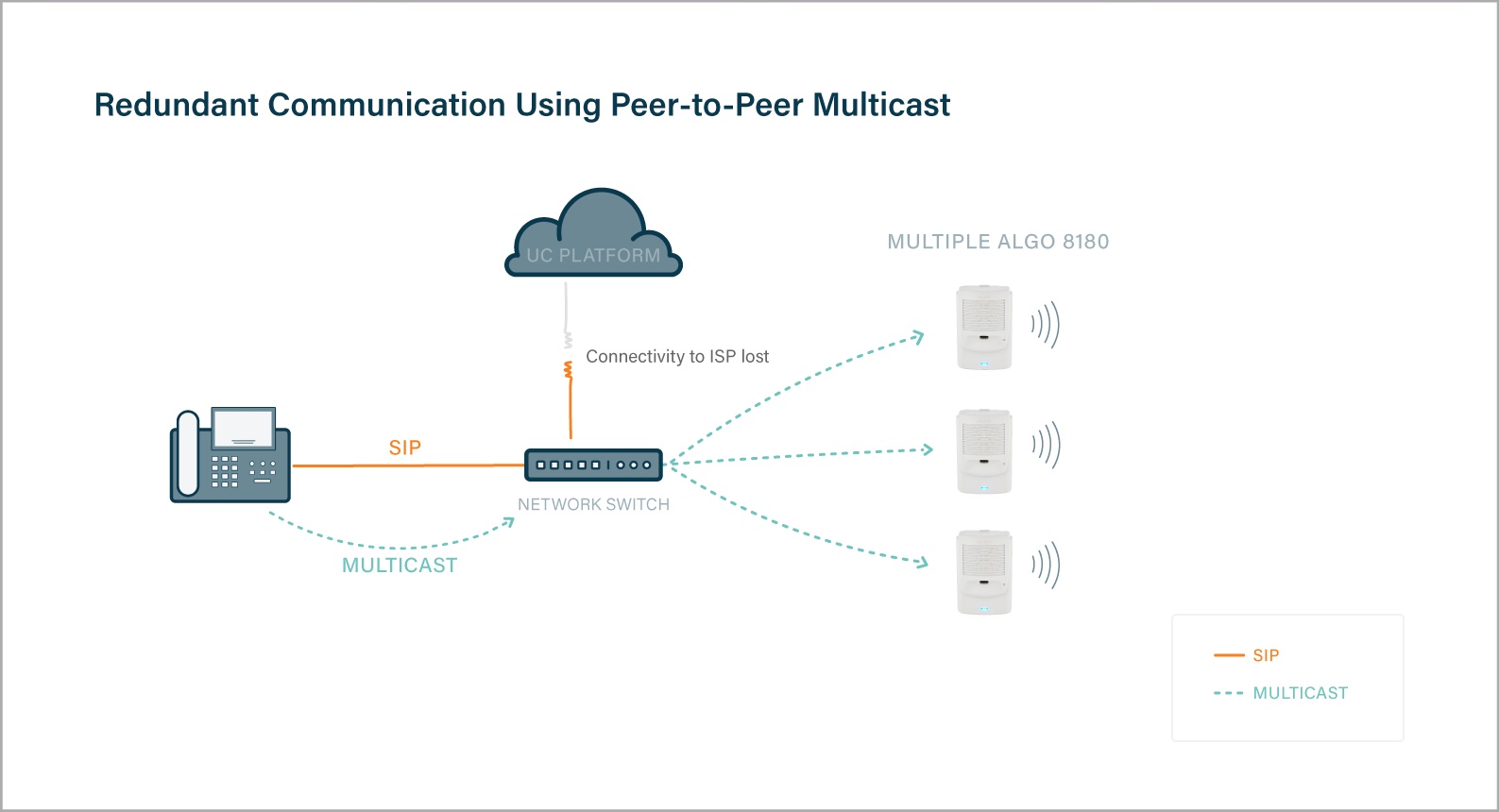
Multicast can be deployed in the following ways:
- From an IP phone configured for multicasting to Algo IP speakers / alerters.
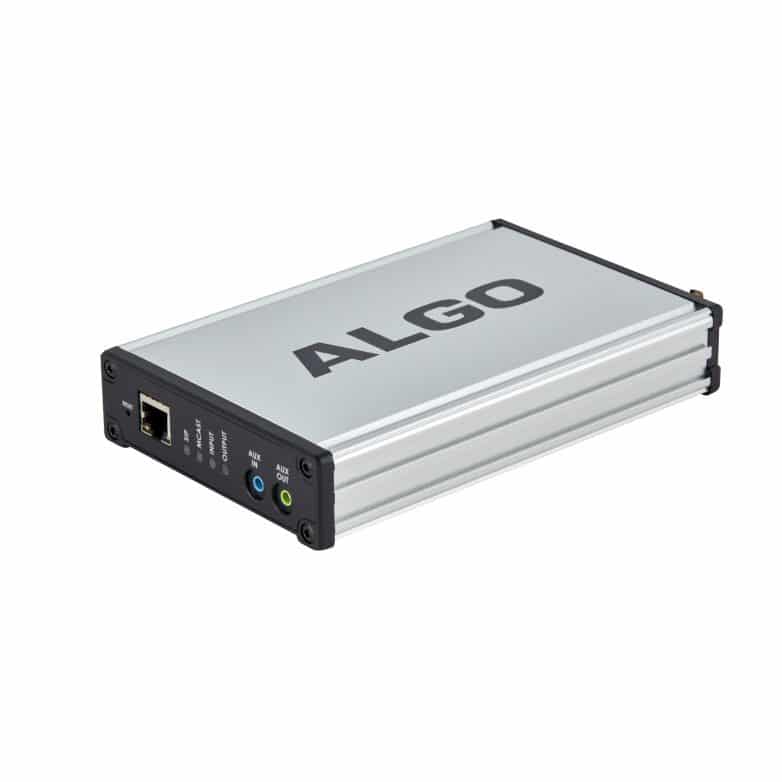
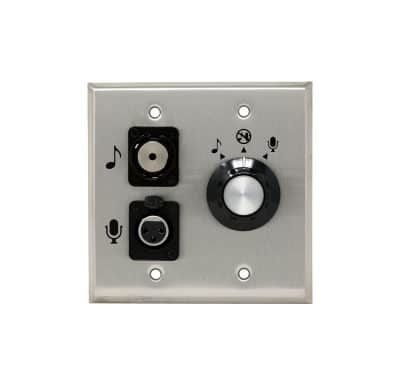
- From an Algo 8301 IP Paging Adapter connected with an Algo 1205 Audio Interface for multicasting to Algo IP speaker / alerters.
Multicasting via an IP phone is as simple as pressing a key.
Paging via multicast using the 8301 plus the 1205 provides a method for connecting a music source or microphone indirectly to the 8301, whereby the 8301 can broadcast the audio using multicast over the network to any multicast-capable Algo IP endpoint connected via the network switch.
Using the 1202 Call Button for Emergency Alerting
The 1202 Call Button can be connected to the smart relay of a compatible Algo IP Endpoint. Pressing the button can activate a preconfigured alert via multicast. This can be used in an environment where multiple endpoints have been configured to react to the press of a button, for example, visual alerters flashing a particular pattern, speakers playing an audio file with a pre-recorded message or alerting tone, and visual displays showing emergency messaging on screen.
explore algo’s IP Display Speakers
SALES SUPPORT
Do you have a sales inquiry?
Contact support for anything you need.